Showing posts with label programming. Show all posts

Thursday, 10 July 2014

How did 'play' shape the design and experience of creating Serendip-o-matic?

Here are my notes from the Digital Humanities 2014 paper on 'Play as Process and Product' I did with Brian Croxall, Scott Kleinman and Amy Papaelias based on the work of the 2013 One Week One Tool team.

Scott has blogged his notes about the first part of our talk, Brian's notes are posted as '“If hippos be the Dude of Love…”: Serendip-o-matic at Digital Humanities 2014' and you'll see Amy's work adding serendip-o-magic design to our slides throughout our three posts.

I'm Mia, I was dev/design team lead on Serendipomatic, and I'll be talking about how play shaped both what you see on the front end and the process of making it.

How did play shape the process?
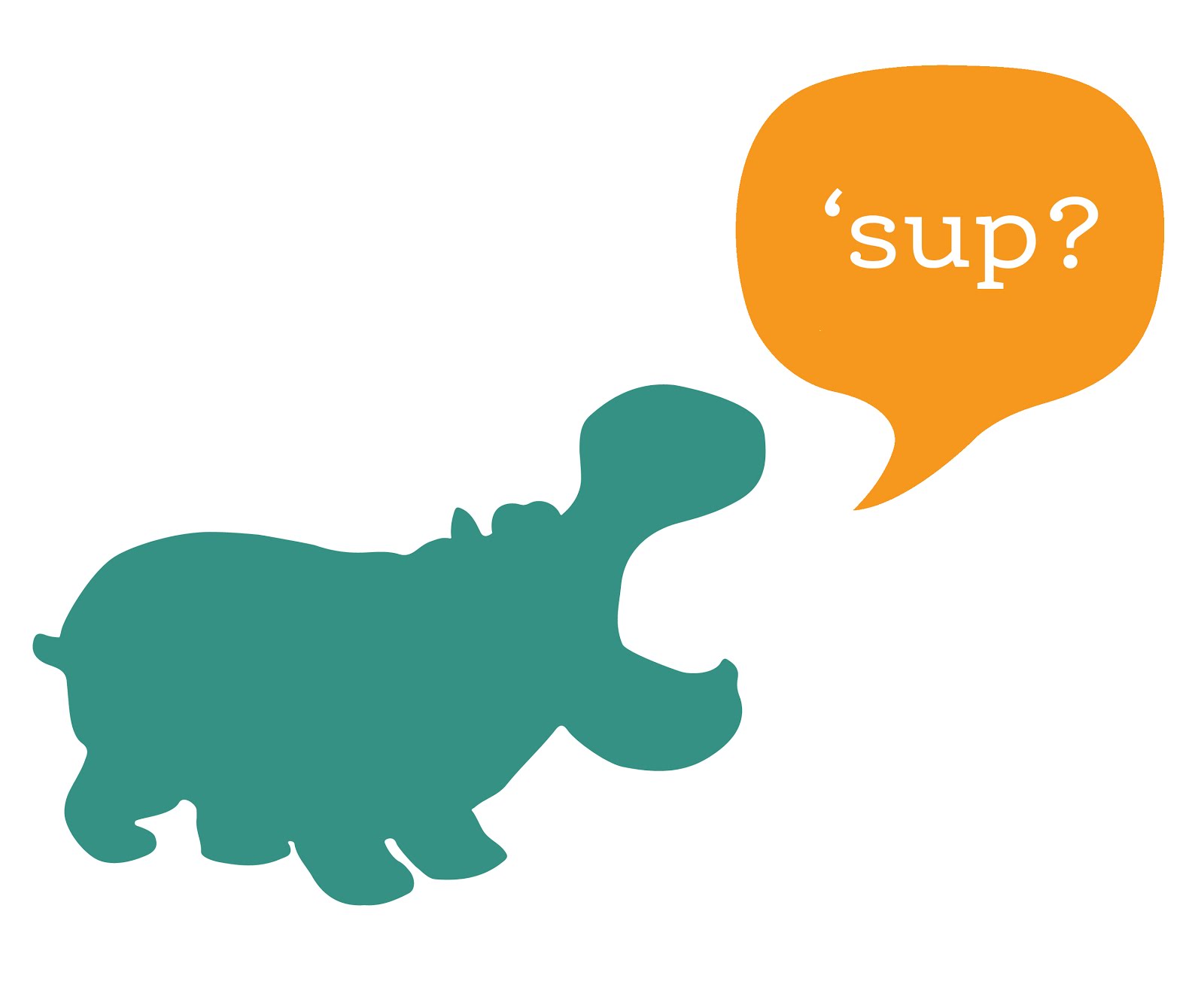
The playful interface was a purposeful act of user advocacy - we pushed against the academic habit of telling, not showing, which you see in some form here. We wanted to entice people to try Serendipomatic as soon as they saw it, so the page text, graphic design, 1 - 2 - 3 step instructions you see at the top of the front page were all designed to illustrate the ethos of the product while showing you how to get started.


How can a project based around boring things like APIs and panic be playful? Technical decision-making is usually a long, painful process in which we juggle many complex criteria. But here we had to practice 'rapid trust' in people, in languages/frameworks, in APIs, and this turned out to be a very freeing experience compared to everyday work.
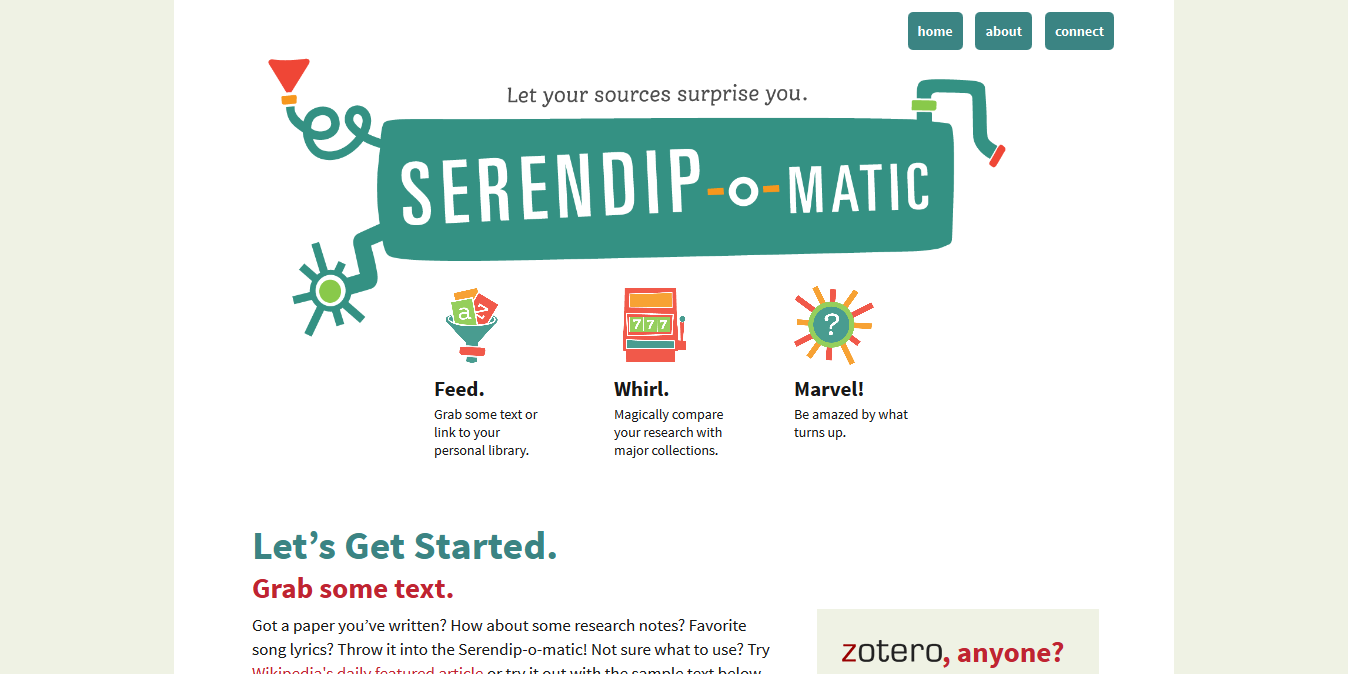
Serendip-o-matic_ Let Your Sources Surprise You.png
First, two definitions as background for our work...

Just in case anyone here isn't familiar with APIs, APIs are a set of computational functions that machines use to talk to each other. Like the bank in Monopoly, they usually have quite specific functions, like taking requests and giving out information (or taking or giving money) in response to those requests. We used APIs from major cultural heritage repositories - we gave them specific questions like 'what objects do you have related to these keywords?' and they gave us back lists of related objects.
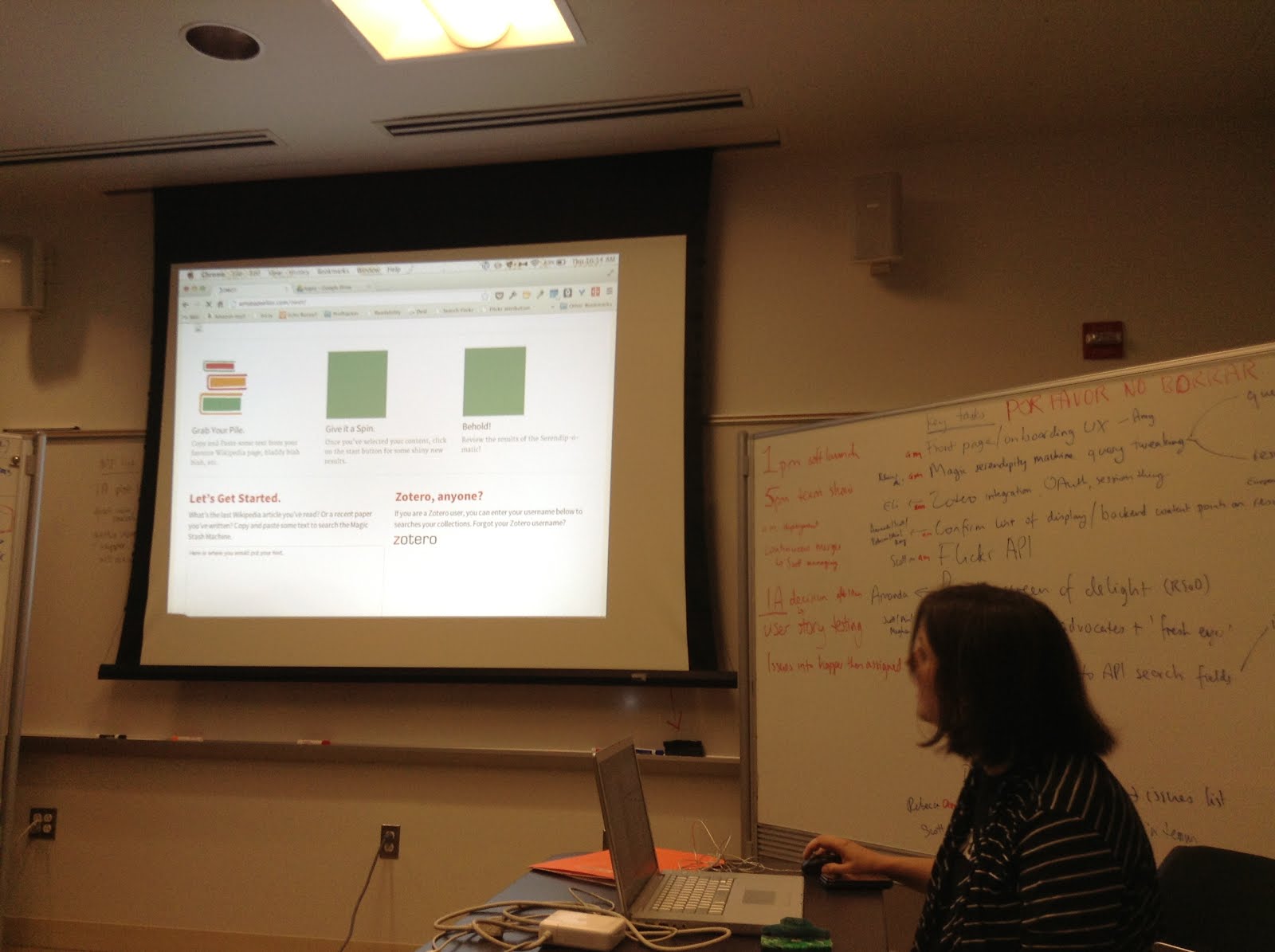
2013-08-01 10.14.45.jpg
The term 'UX' is another piece of jargon. It stands for 'user experience design', which is the combination of graphical, interface and interaction design aimed at making products both easy and enjoyable to use. Here you see the beginnings of the graphic design being applied (by team member Amy) to the underlying UX related to the 1-2-3 step explanation for Serendipomatic.

Feed.

serendipomatic_presentation p9.png
The 'feed' part of Serendipomatic parsed text given in the front page form into simple text 'tokens' and looked for recognisable entities like people, places or dates. There's nothing inherently playful in this except that we called the system that took in and transformed the text the 'magic moustache box', for reasons lost to time (and hysteria).

Whirl.
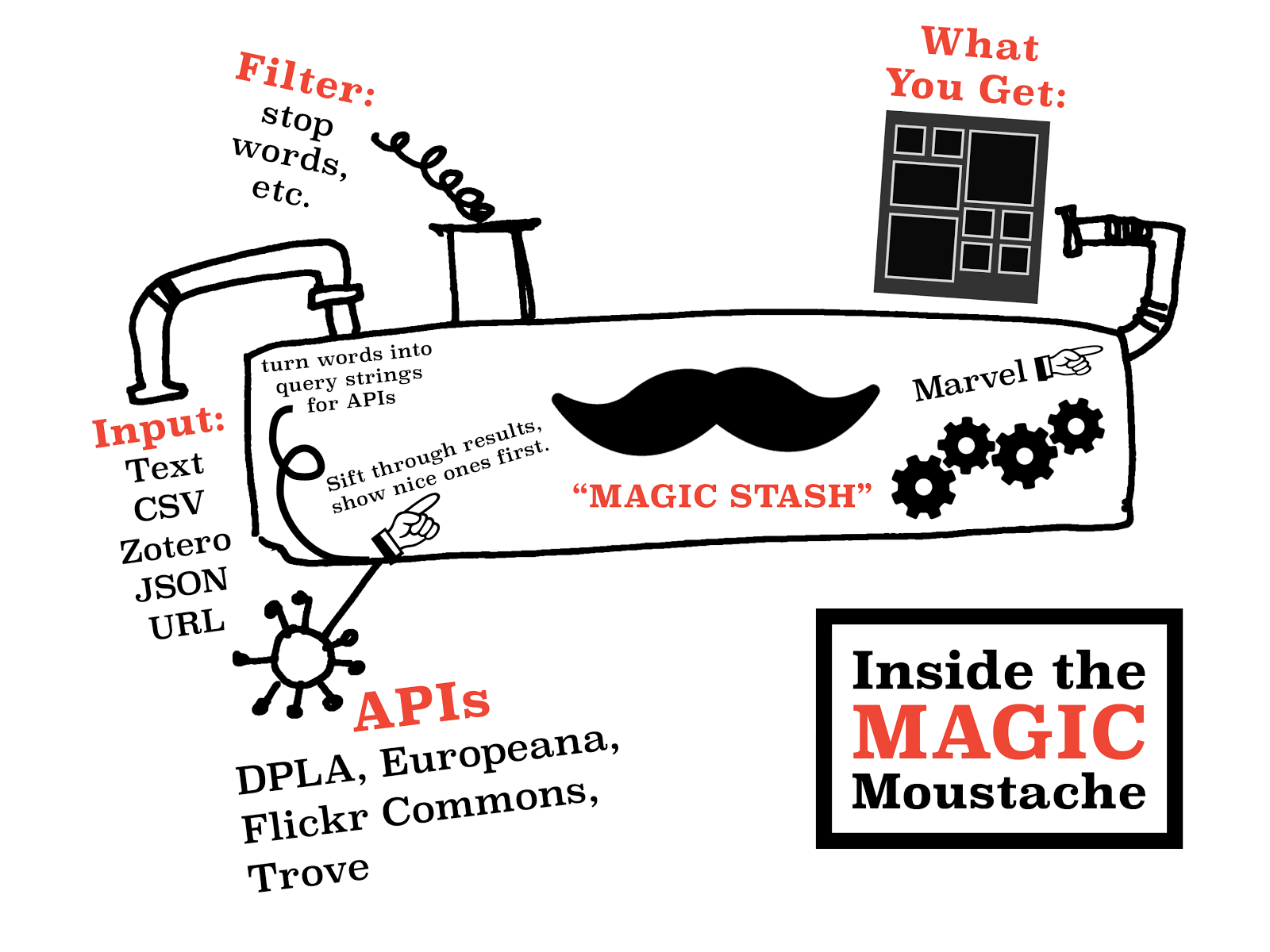
These terms were then mixed into database-style queries that we sent to different APIs. We focused on primary sources from museums, libraries, archives available through big cultural aggregators. Europeana and the Digital Public Library of America have similar APIs so we could get a long way quite quickly. We added Flickr Commons into the list because it has high-quality, interesting images and brought in more international content. [It also turns out this made it more useful for my own favourite use for Serendipomatic, finding slide or blog post images.] The results are then whirled up so there's a good mix of sources and types of results. This is the heart of the magic moustache.

Marvel.

User-focused design was key to making something complicated feel playful. Amy's designs and the Outreach team work was a huge part of it, but UX also encompasses micro-copy (all the tiny bits of text on the page), interactions (what happened when you did anything on the site), plus loading screens, error messages, user documentation.
We knew lots of people would be looking at whatever we made because of OWOT publicity; you don't get a second shot at this so it had to make sense at a glance to cut through social media noise. (This also meant testing it for mobiles and finding time to do accessibility testing - we wanted every single one of our users to have a chance to be playful.)


Without all this work on the graphic design - the look and feel that reflected the ethos of the product - the underlying playfulness would have been invisible. This user focus also meant removing internal references and in-jokes that could confuse people, so there are no references to the 'magic moustache machine'. Instead, 'Serendhippo' emerged as a character who guided the user through the site.

moustache.png But how does a magic moustache make a process playful?
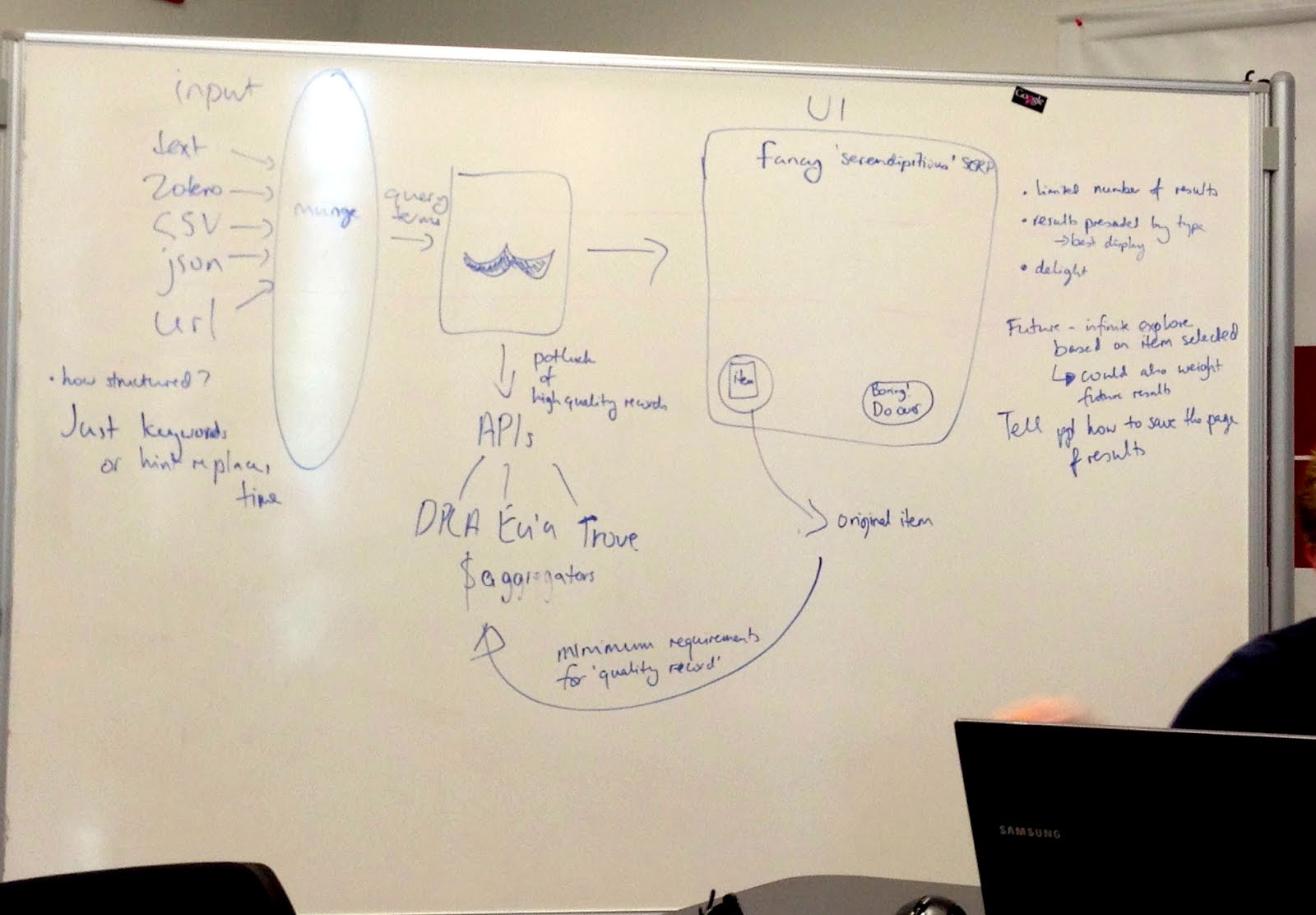
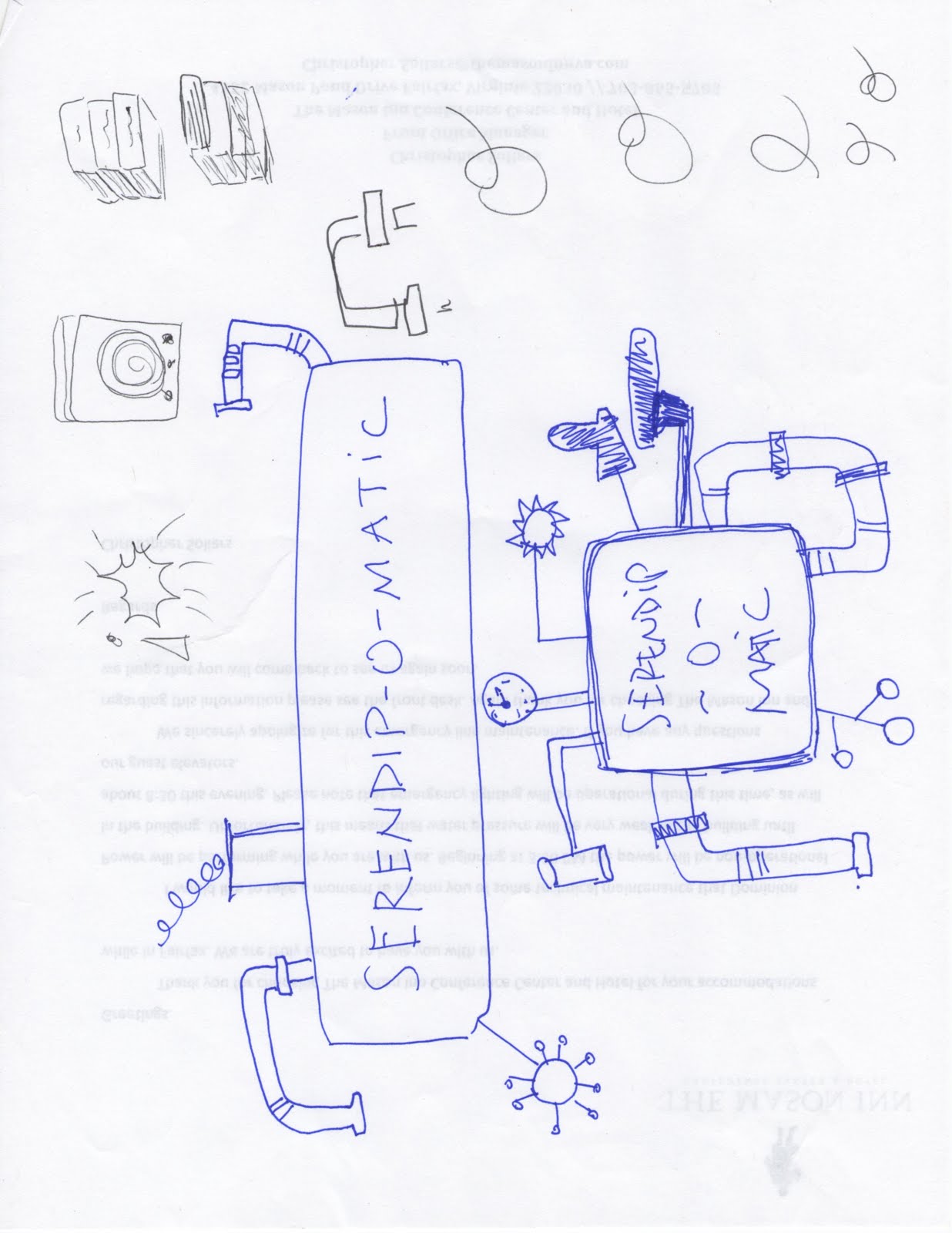
magicmoustachediagram.jpgThe moustache was a visible signifier of play. It appeared in the first technical architecture diagram - a refusal to take our situation too seriously was embedded at the heart of the project. This sketch also shows the value of having a shared physical or visual reference - outlining the core technical structure gave people a shared sense of how different aspects of their work would contribute to the whole. After all, if there aren't any structure or rules, it isn't a game.

This playfulness meant that writing code (in a new language, under pressure) could then be about making the machine more magic, not about ticking off functions on a specification document. The framing of the week as a challenge and as a learning experience allowed a lack of knowledge or the need to learn new skills to be a challenge, rather than a barrier. My role was to provide just enough structure to let the development team concentrate on the task at hand.

In a way, I performed the role of old-fashioned games master, defining the technical constraints and boundaries much as someone would police the rules of a game. Previous experience with cultural heritage APIs meant I was able to make decisions quickly rather than letting indecision or doubt become a barrier to progress. Just as games often reduce complex situations to smaller, simpler versions, reducing the complexity of problems created a game-like environment.

UX matters

Ultimately, a focus on the end user experience drove all the decisions about the backend functionality, the graphic design and micro-copy and how the site responded to the user.

It's easy to forget that every pixel, line of code or text is there either through positive decisions or decisions not consciously taken. User experience design processes usually involve lots of conversation, questions, analysis, more questions, but at OWOT we didn't have that time, so the trust we placed in each other to make good decisions and in the playful vision for Serendipomatic created space for us to focus on creating a good user experience. The whole team worked hard to make sure every aspect of the design helps people on the site understand our vision so they can get with exploring and enjoying Serendipomatic.

Some possible real-life lessons I didn't include in the paper

One Week One Tool was an artificial environment, but here are some thoughts on lessons that could be applied to other projects:
  • Conversations trump specifications and showing trumps telling; use any means you can to make sure you're all talking about the same thing. Find ways to create a shared vision for your project, whether on mood boards, technical diagrams, user stories, imaginary product boxes. 
  • Find ways to remind yourself of the real users your product will delight and let empathy for them guide your decisions. It doesn't matter how much you love your content or project, you're only doing right by it if other people encounter it in ways that make sense to them so they can love it too (there's a lot of UXy work on 'on-boarding' out there to help with this). User-centred design means understanding where users are coming from, not designing based on popular opinion.you can use tools like customer journey maps to understand the whole cycle of people finding their way to and using your site (I guess I did this and various other UXy methods without articulating them at the time). 
  • Document decisions and take screenshots as you go so that you've got a history of your project - some of this can be done by archiving task lists and user stories. 
  • Having someone who really understands the types of audiences, tools and materials you're working with helps - if you can't get that on your team, find others to ask for feedback - they may be able to save you lots of time and pain.
  • Design and UX resources really do make a difference, and it's even better if those skills are available throughout the agile development process.

Thursday, 13 February 2014

'Bringing maker culture to cultural organisations' at VALA2014

I've just spent a week in Melbourne (my home town, awww) for VALA2014. VALA is about 'libraries, technology and the future' and the conference theme for 2014 was 'streaming with possibilities'. Kim Tairi's briefing (as Chair of the VALA2014 Conference Programme Committee) included the phrases 'stories that will ignite, challenge and excite our audience' and 'don’t be afraid to be controversial or push the boundaries', which was a brilliant challenge and turned out to be a great introduction to the ethos of the conference.

Image by Con Wiebrands 萬事如意 @flexnib
My keynote was on 'Bringing maker culture to cultural organisations'. From my abstract: Should museums, libraries and archives be places for looking at old stuff other people have made, or could they also be places where new creations are inspired and made? If making - writing, designing, building - is the deepest level of engagement with heritage and culture, how can memory institutions avoid the comforting but deadly trap of broadcasting at the public and instead create spaces for curating, creating or conversing with them? Somehow that meant a romp through banana pianos, the link between knitting and historic newspapers, why I like coding, the value of tinkering, secret shoppers and the fact that everyone is a maker of some sort (or was in the past).

Update: videos of the keynotes are now available online! I haven't watched any cos I don't have the Silverlight. I'd recommend them all, but I'm particularly looking forward to re-watching Gene Tan and Matt Finch's keynotes.

I'm sharing my slides below, but Slideshare seems to have stopped including the speaker notes so they're best viewed in conjunction with either of the two blog posts about my keynote that appeared with impressive speed or the tweets from my session. I've storified the tweets at Tweets from keynote 'Bringing maker culture to cultural organisations' at VALA14 - the audience did a fantastic job of summarising my speech, adding their own questions and comments, and sharing links to the sites and projects I mentioned. Yay, librarians! The two posts are Deborah '@deborahfitchett' Fitchett's Bringing maker culture to cultural organisations and Richard '@penanghill' Hayward's Mia Ridge on the Maker Movement (on an unrelated-but-home town note, Richard was my boss many, many years ago!).
 
Bringing maker culture to cultural organisations from Mia

Huge thanks to the organisers for the invitation to speak, to the conference staff for making everything run so smoothly, to the other keynotes for their inspiration and to the attendees for being such good sports.

Friday, 2 August 2013

So we made a thing. Announcing Serendip-o-matic at One Week, One Tool


Source code at GitHub Serendipomatic - go add your API so people can find your stuff! Check out the site at serendipomatic.org.

Update: and already we've had feedback that people love the experience and have found it useful - it's so amazing to hear this, thank you all! We know it's far from perfect, but since the aim was to make something people would use, it's great to know we've managed that:
Update from Saturday morning - so this happened overnight:
And then this:
From the press release: One Week | One Tool Team Launches Serendip-o-matic

serendip-o-maticAfter five days and nights of intense collaboration, the One Week | One Tool digital humanities team has unveiled its web application: Serendip-o-matic <http://serendipomatic.org>. Unlike conventional search tools, this “serendipity engine” takes in any text, such as an article, song lyrics, or a bibliography. It then extracts key terms, delivering similar results from the vast online collections of the Digital Public Library of America, Europeana, and Flickr Commons. Because Serendip-o-matic asks sources to speak for themselves, users can step back and discover connections they never knew existed. The team worked to re-create that moment when a friend recommends an amazing book, or a librarian suggests a new source. It’s not search, it’s serendipity.

Serendip-o-matic works for many different users. Students looking for inspiration can use one source as a springboard to a variety of others. Scholars can pump in their bibliographies to help enliven their current research or to get ideas for a new project. Bloggers can find open access images to illustrate their posts. Librarians and museum professionals can discover a wide range of items from other institutions and build bridges that make their collections more accessible. In addition, millions of users of RRCHNM’s Zotero can easily run their personal libraries through Serendip-o-matic.
Serendip-o-matic is easy to use and freely available to the public. Software developers may expand and improve the open-source code, available on GitHub. The One Week | One Tool team has also prepared ways for additional archives, libraries, and museums to make their collections available to Serendip-o-matic. 

Highs and lows, day four of OWOT

If you'd asked me at 6pm, I would have said I'd have been way too tired to blog later, but it also felt like a shame to break my streak at this point. Today was hard work and really tiring - lots to do, lots of finicky tech issues to deal with, some tricky moments to work through - but particularly after regrouping back at the hotel, the dev/design team powered through some of the issues we'd butted heads against earlier and got some great work done.  Tomorrow will undoubtedly be stressful and I'll probably triage tasks like mad but I think we'll have something good to show you.

As I left the hotel this morning I realised an intense process like this isn't just about rapid prototyping - it's also about rapid trust. When there's too much to do and barely any time for communication, let alone  checking someone else's work, you just have to rely on others to get the bits they're doing right and rely on goodwill to guide the conversation if you need to tweak things a bit.  It can be tricky when you're working out where everyone's sense of boundaries between different areas are as you go, but being able to trust people in that way is a brilliant feeling. At the end of a long day, I've realised it's also very much about deciding which issues you're willing to spend time finessing and when you're happy to hand over to others or aim for a first draft that's good enough to go out with the intention to tweak if it you ever get time. I'd asked in the past whether a museum's obsession with polish hinders innovation so I can really appreciate how freeing it can be to work in an environment where to get a product that works, let alone something really good, out in the time available is a major achievement.

Anyway, enough talking. Amrys has posted about today already, and I expect that Jack or Brian probably will too, so I'm going to hand over to some tweets and images to give you a sense of my day. (I've barely had any time to talk to or get to know the Outreach team so ironically reading their posts has been a lovely way to check in with how they're doing.)

Our GitHub repository punch card report tells the whole story of this week - from nothing to huge levels of activity on the app code


Thursday, 1 August 2013

Halfway through. Day three of OWOT.

Crikey. Day three. Where do I start?

We've made great progress on our mysterious tool. And it has a name! Some cool design motifs are flowing from that, which in turn means we can really push the user experience design issues over the next day and a half (though we've already been making lots of design decisions on the hoof so we can keep dev moving). The Outreach team have also been doing some great communications work, including a Press Release and have lots more in the pipeline. The Dev/Design team did a demo of our work for the Outreach team before dinner - there are lots of little things but the general framework of the tool works as it should - it's amazing how far we've come since lunchtime yesterday.  We still need to do a full deployment (server issues, blah blah), and I'll feel a lot better when we've got that process working and then running smoothly, so that we can keep deploying as we finish major features up to a few hours before launch rather than doing it at the end in a mad panic. I don't know how people managed code before source control - not only does Github manage versions for it, it makes pulling in code from different people so much easier.

There's lots to tackle on many different fronts, and it may still end up in a mad rush at the end, but right now, the Dev/Design team is humming along. I've been so impressed with the way people have coped with some pretty intense requirements for working with unfamiliar languages or frameworks, and with high levels of uncertainty in a chaotic environment.  I'm trying to keep track of things in Github (with Meghan and Brian as brilliant 'got my back' PMs) and keep the key current tasks on a whiteboard so that people know exactly what they need to be getting done at any time. Now that the Outreach team have worked through the key descriptive texts, name and tagline we'll need to coordinate content production - particularly documentation, microcopy to guide people through the process - really closely, which will probably get tricky as time is short and our tasks are many, but given the people gathered together for OWOT, I have faith that we'll make it work.


Things I have learnt today: despite two years working on a PhD in digital humanities/digital history, I still have a brain full of technical stuff - it's a relief to realise it hasn't atrophied through lack of use. I've also realised how much the work I've done designing workshops and teaching since starting my PhD have fed into how I work with teams, though it's hard right now to quantify exactly *how*. Finally, it's re-affirmed just how much I like making things - but also that it's important to make those things in the company of people who are scholarly (or at least thoughtful) about subjects beyond tech and inter-disciplinary, and ideally to make things that engage the public as well as researchers. As the end of my PhD approaches, it's been really useful to step back into this world for a week, and I'll definitely draw on it when figuring out what to do after the PhD. If someone could just start a CHNM in the UK, I'd be very happy.

I still can't tell you what we're making, but I *can* tell you that one of these photos in this post contains a clue (and they all definitely have nothing to do with mild lightheadedness at the end of a long day).

Wednesday, 31 July 2013

And so it begins: day two of OWOT

Day two of One Week, One Tool. We know what we're making, but we're not yet revealing exactly what it is. (Is that mean? It's partly a way of us keeping things simple so we can focus on work.) Yesterday (see Working out what we're doing: day one of One Week, One Tool) already feels like weeks ago, and even this morning feels like a long time ago. I can see that my posts are going to get less articulate as the week goes on, assuming I keep posting. I'm not sure how much value this will have, but I suppose it's a record of how fast you can move in the right circumstances...

We spent the morning winnowing the ideas we'd put up for feedback on overnight down from c12 to 4, then 3, then 2, then... It's really hard killing your darlings, and it's also difficult choosing between ideas that sound equally challenging or fun or worthy. There was a moment when we literally wiped ideas that had been ruled out from the whiteboard, and it felt oddly momentous. In the end, the two final choices both felt like approaches to the same thing - perhaps because we'd talked about them for so long that they started to merge (consciously or not) or because they both fell into a sweet spot of being accessible to a wide audience and had something to do with discovering new things about your research (which was the last thing I tweeted before we made our decision and decided to keep things in-house for a while).  Finally, eventually, we had enough of a critical mass behind one idea to call it the winner.

Personally, our decision only started to feel real as we walked back from lunch - our task was about to get real.  It's daunting but exciting. Once back in the room, we discussed the chosen idea a bit more and I got a bit UX/analysty and sketched stuff on a whiteboard. I'm always a bit obsessed with sketching as a way to make sure everyone has a more concrete picture (or shared mental model) of what the group is talking about, and for me it also served as a quick test of the technical viability of the idea. CHNM's Tom Scheinfeldt then had the unenviable task of corralling/coaxing/guiding us into project management, dev/design and outreach teams. Meghan Frazer and Brian Croxall are project managing, I'm dev/design team lead, with Scott Kleinman, Rebecca Sutton Koeser, Amy Papaelias, Eli Rose, Amanda Visconti and Scott Williams (and in the hours since then I have discovered that they all rock and bring great skills to the mix), and Jack Dougherty is leading the outreach team of Ray Palin and Amrys Williams in their tasks of marketing, community development, project outreach, grant writing, documentation. Amrys and Ray are also acting as user advocates and they've all contributed user stories to help us clarify our goals. Lots of people will be floating between teams, chipping in where needed and helping manage communication between teams.

The Dev/Design team began with a skills audit so that we could figure out who could do what on the front- and back-end, which in turn fed into our platform decision (basically PHP or Python, Python won), then a quick list of initial tasks that would act as further reality checks on the tool and our platform choice. The team is generally working in pairs on parallel tasks so that we're always moving forward on the three main functional areas of the tool and to make merging updates on github simpler. We're also using existing JavaScript libraries and CSS grids to make the design process faster. I then popped over to the Outreach team to check in with the descriptions and potential user stories they were discussing. Meghan and Brian got everyone back together at the end of the day, and the dev/design team had a chance to feed back on the outreach team's work (which also provided a very ad hoc form of requirements elicitation but it started some important conversations that further shaped the tool). Then it was back over to the hotel lobby where we planned to have a dev/design team meeting before dinner, but when two of our team were kidnapped by a shuttle driver (well, sorta) we ended up working through some of the tasks for tomorrow. We're going to have agile-style stand-up meetings twice a day, with the aim to give people enough time to get stuck into tasks while still keeping an eye on progress with a forum to help deal with any barriers or issues. Some ideas will inevitably fall by the wayside, but because the OWOT project is designed to run over a year, we can put ideas on a wishlist for future funded development, leave as hooks for other developers to expand on, or revisit once we're back home. In hack day mode I tend to plan so that there's enough working code that you have something to launch, then go back and expand features in the code and polish the UX with any time left. Is this the right approach here? Time will tell.

Tuesday, 30 July 2013

Working out what we're doing: day one of One Week, One Tool

Hard at work in The Well
I'm sitting in a hotel next to the George Mason University's Fairfax campus with a bunch of people I (mostly) met last night trying to work out what tool we'll spend the rest of the week building. We're all here for One Week, One Tool, a 'digital humanities barn raising' and our aim is to launch a tool for a community of scholarly users by Friday evening. The wider results should be some lessons about rapidly developing scholarly tools, particularly building audience-focused tools, and hopefully a bunch of new friendships and conversations, and in the future, a community of users and other developers who might contribute code. I'm particularly excited about trying to build a 'minimum viable product' in a week, because it's so unlike working in a museum. If we can keep the scope creep in check, we should be able to build for the most lightweight possible interaction that will let people use our tool while allowing room for the tool to grow according to uses.

We met up last night for introductions and started talking about our week. I'm blogging now in part so that we can look back and remember what it was like before we got stuck into building something - if you don't capture the moment, it's hard to retrieve. The areas of uncertainty will reduce each day, and based on my experience at hack days and longer projects, it's often hard to remember how uncertain things were at the start.

Meghan herding cats to get potential ideas summarised
Today we heard from CHNM team members Sharon Leon on project management, Sheila Brennan on project outreach and Patrick Murray-John on coding and then got stuck into the process of trying to figure out what on earth we'll build this week. I don't know how others felt but by lunchtime I felt super impatient to get started because it felt like our conversations about how to build the imaginary thing would be more fruitful when we had something concrete-ish to discuss. (I think I'm also used to hack days, which are actually usually weekends, where you've got much less time to try and build something.) We spent the afternoon discussing possible ideas, refining them, bouncing up and down between detail, finding our way through different types of jargon, swapping between problem spaces and generally finding our way through the thicket of possibilities to some things we would realistically want to make in the time. We went from a splodge of ideas on a whiteboard to more structured 'tool, audience, need' lines based on agile user stories, then went over them again to summarise them so they'd make sense to people viewing them on ideascale.
So now it's over to you (briefly). We're working out what we should build this week, and in addition to your votes, we’d love you to comment on two specific things:
  • How would a suggested tool change your work? 
  • Do you know of similar tools (we don’t want to replicate existing work)?
So go have a look at the candidate ideas at http://oneweekonetool.ideascale.com and let us know what you think. It's less about voting than it is about providing more context for ideas you like, and we'll put all the ideas through a reality check based on whether it has identifiable potential users and whether we can build it in a few days. We'll be heading out to lunch tomorrow (Viriginia time) with a decision, so it's a really short window for feedback: 10am American EST. (If it's any consolation, it's a super-short window for us building it too.)

Update Tuesday morning: two other participants have written posts, so go check them out! Amanda Visconti's Digital Projects from Start to Finish: DH Mentorship from One Week One Tool (OWOT), Brian Croxall's Day 1 of OWOT: Check Your Ego at the Door and Jack Dougherty's Learning Moments at One Week One Tool 2013, Day 1.

Sunday, 24 January 2010

Performance testing and Agile - top ten tips from Thoughtworks

I've got a whole week and a bit off uni (though of course I still have my day job) and I got a bit over-excited and booked two geek talks (and two theatre shows). This post is summarising a talk on Top ten secret weapons for performance testing in an agile environment, organised by the BCS's SPA (software practice advancement) group with Patrick Kua from ThoughtWorks.

His slides from an earlier presentation are online so you may prefer just to head over and read them.

[My perspective: I've been thinking about using Agile methodologies for two related projects at work, but I'm aware of the criticisms from a requirements engineering perspective that doesn't deal with non-functional requirements (i.e. not requirements about what a system does, but how it does it and the qualities it has - usability, security, performance, etc) and of the problems integrating graphic and user experience design into agile processes (thanks in part to an excellent talk @johannakoll gave at uni last term.  Even if we do the graphic and user experience design a cycle or two ahead, I'm also not sure how it would work across production teams that span different departments - much to think about.

Wednesday's talk did a lot to answer my own questions about how to integrate non-functional requirements into agile projects, and I learned a lot about performance testing - probably about time, too. It was intentionally about processes rather than tools, but JMeter was mentioned a few times.]

1. Make performance explicit.
Make it an explicit requirement upfront and throughout the process (as with all non-functional requirements in agile).
Agile should bring the painful things forward in the process.

Two ways: non-functional requirements can be dotted onto the corner of the story card for a functional requirement, or give them a story card to themselves, and manage them alongside the stories for the functional requirements.  He pointed out that non-functional requirements have a big effect on architecture, so it's important to test assumptions early.

[I liked their story card format: So that [rationale] as [person or role] I want [natural language description of the requirement].]

2. One team.
Team dynamics are important - performance testers should be part of the main team. Products shouldn't just be 'thrown over the wall'. Insights from each side help the other. Someone from the audience made a comment about 'designing for testability' - working together makes this possible.

Bring feedback cycles closer together. Often developers have an insight into performance issues from their own experience - testers and developers can work together to triangulate and find performance bottlenecks.

Pair on performance test stories - pair a performance tester and developer (as in pair programming) for faster feedback. Developers will gain testing expertise, so rotate pairs as people's skills develop.  E.g. in a team of 12 with 1 tester, rotate once a week or fortnight.  This also helps bring performance into focus through the process.

3. Customer driven
Customer as in end user, not necessarily the business stakeholder.  Existing users are a great source of requirements from the customers' point of view - identify their existing pain points.  Also talk to marketing people and look at usage forecasts.

Use personas to represent different customers or stakeholders. It's also good to create a persona for someone who wants to bring the site down - try the evil hat.

4. Discipline
You need to be as disciplined and rigorous as possible in agile.  Good performance testing needs rigour.

They've come up with a formula:
Observe test results - what do you see? Be data driven.
Formulate hypothesis - why is it doing that?
Design an experiment - how can I prove that's what's happening? Lightweight, should be able to run several a day.
Run experiment - take time to gather and examine evidence
Is hypothesis valid? If so -
Change application code

Like all good experiments, you should change only one thing at a time.

Don't panic, stay disciplined.

5. Play performance early
Scheduling around iterative builds makes it more possible. A few tests during build is better than a block at the end.  Automate early.

6. Iterate, Don't (Just) Increment
Fishbone structure - iterate and enhance tests as well as development.

Sashimi slicing is another technique.  Test once you have an end-to-end slice.

Slice by presentation or slice by scenario.
Use visualisations to help digest and communicate test results. Build them in iterations too. e.g. colour to show number of http requests before get error codes. If slicing by scenario, test by going through a whole scenario for one persona.

7. Automate, automate, automate.
It's an investment for the future, so the amount of automation depends on the lifetime of the project and its strategic importance.  This level of discipline means you don't waste time later.

Automated compilation - continuous integration good.
Automated tests
Automated packaging
Automated deployment [yes please - it should be easy to get different builds onto an environment]
Automated test orchestration - playing with scenarios, put load generators through profiles.
Automated analysis
Automated scheduling - part of pipeline. Overnight runs.
Automated result archiving - can check raw output if discover issues later

Why automate? Reproducible and constant; faster feedback; higher productivity.
Can add automated load generation e.g. JMeter, which can also run in distributed agent mode.
Ideally run sanity performance tests for show stoppers at the end of functional tests, then a full overnight test.

8. Continuous performance testing
Build pipeline.
Application level - compilation and test units; functional test; build RPM (or whatever distribution thingy).
Into performance level - 5 minute sanity test; typical day test.

Spot incremental performance degradation - set tests to fail if the percentage increase is too high.

9. Test drive your performance test code
Hold it to the same level of quality as production code. TDD useful. Unit test performance code to fail faster. Classic performance areas to unit test: analysis, presentation, visualisation, information collecting, publishing.

V model of testing - performance testing at top righthand edge of the V.

10. Get feedback.
Core of agile principles.
Visualisations help communicate with stakeholders.
Weekly showcase - here's what we learned and what we changed as a result - show the benefits of on-going performance testing.

General comments from Q&A: can do load generation and analyse session logs of user journeys. Testing is risk migitation - can't test everything. Pairing with clients is good.

In other news, I'm really shallow because I cheered on the inside when he said 'dahta' instead of 'dayta'. Accents FTW! And the people at the event seemed nice - I'd definitely go to another SPA event.

Wednesday, 2 July 2008

What would you create with public (UK) information?

Show Us a Better Way want to know, and if your idea is good they might give you £20,000 to develop it to the next level.
Do you think that better use of public information could improve health, education, justice or society at large?

The UK Government wants to hear your ideas for new products that could improve the way public information is communicated.
Importantly, you don't need to be a geek:
You don't have to have any technical knowledge, nor any money, just a good idea, and 5 minutes spare to enter the competition.
And they've made "gigabytes of new or previously invisible public information" available for the project, including health, crime and education data (but no personal information).

Tuesday, 1 July 2008

If you are bored...

...you could go and read some of the blogs listed in the ComputerWeekly.com IT Blog Awards 08.

If you like this blog, you could vote for it in the Programming and technical blogs category, but given how good some of the other blogs are, I certainly don't expect you to!

On the other hand, if you've really got time to be bored, maybe you could figure out the best way for a one-programmer (i.e. me*) project to store and publish layers of user-generated content on top of data drawn from APIs. KTHXBAI!

* More about that project soon when I report on the mashed museum day - I'd love other programmers to join me.

Wednesday, 4 June 2008

Nice information design/visualisation pattern browser

infodesignpatterns.com is a Flash-based site that presents over 50 design patterns 'that describe the functional aspects of graphic components for the display, behaviour and user interaction of complex infographics'.

The development of a design pattern taxonomy for data visualisation and information design is a work in progress, but the site already has a useful pattern search, based on order principle, user goal, graphic class and number of dimensions.

Wednesday, 28 May 2008

Google release AJAX loader

From the Google page, AJAX Libraries API:

The AJAX Libraries API is a content distribution network and loading architecture for the most popular open source JavaScript libraries. By using the Google AJAX API Loader's google.load() method, your application has high speed, globaly available access to a growing list of the most popular JavaScript open source libraries including:

Google works directly with the key stake holders for each library effort and accept the latest stable versions as they are released. Once we host a release of a given library, we are committed to hosting that release indefinitely.

The AJAX Libraries API takes the pain out of developing mashups in JavaScript while using a collection of libraries. We take the pain out of hosting the libraries, correctly setting cache headers, staying up to date with the most recent bug fixes, etc.


There's also more information at Speed up access to your favorite frameworks via the AJAX Libraries API.

To play devil's avocado briefly, the question is - can we trust Google enough to build functionality around them? It might be a moot point if you're already using their APIs, and you could always use the libraries directly, but it's worth considering.

Monday, 19 May 2008

Setting up a personal webserver: quick link

Personal web servers on a laptop or desktop machine are very handy if you're looking for a local development environment. This article offers a few options for Mac, Linux and Windows: Set up your personal webserver.

Thursday, 15 May 2008

Notes from 'Everything RSS' at MW2008

These are my notes from the workshop Everything RSS with Jim Spadaccini from Ideum at Museums and the Web, Montreal, April 2008. Some of my notes will seem self-evident to various geeks or non-geeks but I've tried to include most of what was covered.

It's taken me a while to catch up on some of my notes, so especially at this distance - any mistakes are mine, any comments or corrections are welcome, and the comments in [square brackets] below are me. All the conference papers and notes I've blogged have been tagged with 'MW2008'.

The workshop will cover: context, technology, the museum sector, usability and design.

RSS/web feeds - it's easy to add or remove content sources, they can be rich media including audio, images, video, they are easily read or consumed via applications, websites, mobile devices.

The different flavours and definitions of RSS have hindered adoption.

Atom vs RSS - Atom might be better but not as widely adopted. Most mature RSS readers can handle both.

RSS users are more engaged - 2005, Nielsen NetRatings.

Marketers are seeing RSS as alternative to email as email is being overrun by spam and becoming a less efficient marketing tool.

The audience for RSS content is slowly building as it's built into browsers, email (Yahoo, Outlook, Mac), MySpace widget platform.

Feedburner. [I'm sure more was said about than this - probably 'Feedburner is good/useful' - but it was quite a while ago now.]

Extending RSS: GeoRSS - interoperable geo-coded data; MediaRSS, Creative Commons RSS Module.

Creating RSS feeds on the server-side [a slide of references I failed to get down in time].
You can use free or open source software to generate RSS feeds. MagpieRSS, Feed Editor (Windows, extralabs.net); or free Web Services to create or extend RSS feeds.

There was an activity where we broke into groups to review different RSS applications, including Runstream (create own RSS feed from static content) and xFruits (convert RSS into different platforms).

Others included rssfeedssubmit.com, aiderss.com, rssmixer.com (prototype by Ideum), rsscalendar.com and feedshow.com (OPML generator).

OPML - exchange lists of web feeds between aggregators. e.g. museumblogs site.

RSSmixer - good for widgets and stats, when live to public. [It looks like it's live now.]

RSS Micro - RSS feed search engine, you can also submit your feed there. Also feedcamp.

Ideas for using RSS:
Use meetup and upcoming for promoting events. Have links back to your events pages and listings.

Link to other museums - it helps everyone's technorati/page ranking.

There was discussion of RSSmixer's conceptual data model. Running on Amazon EC2. [with screenshot]. More recent articles are in front end database, older ones in backend database.

RSS is going to move more to a rich media platform, so interest in mixing and filtering down feeds will grow, create personalisation.

Final thoughts - RSS is still emergent. It won't have a definitive breakthrough but it will eventually become mainstream. It will be used along with email marketing as a tool to reach visitors/customers. RSS web services will continue to expand.

Regular RSS users, who have actively subscribed, are an important constituency. Feeds will be more frequently offered on websites, looking beyond blogs and podcasts.

RSS can help you reach new audiences and cement relationships with existing visitors. You can work with partners to create 'mixed' feeds to foster deeper connections with visitors.

Use RSS for multiple points of dissemination - not just RSS. [At this stage I really have no idea what I meant by this but I'm sure whatever Jim said made sense.]

[I had a question about tips for educating existing visitors about RSS. I'd written a blog post about RSS and how to subscribe, which helped, but that's still only reaching a tiny part of potential audience. Could do a widget to demonstrate it.

This was also one of the workshops or talks that made me realise we are so out of the loop with up-to-date programming models like deployment methods. I guess we're so busy all the time it's difficult to keep up with things, and we don't have the spare resources to test new things out as they come along.]

Thursday, 8 May 2008

Notes from 'The API as Curator' and on why museums should hire programmers

These are my notes from the third paper 'The API as Curator' by Aaron Straup Cope in the Theoretical Frameworks session chaired by Darren Peacock at Museums and the Web 2008. The slides for The API as Curator are online.

I've also included below some further notes on why, how, whether museums should hire programmers, as this was a big meme at the conference and Aaron's paper made a compelling case for geeks in art, arty geeks and geeky artists.

You might have noticed it's taken me a while to catch up on some of my notes from this conference, and the longer I leave it the harder it gets. As always, any mistakes are mine, any comments corrections are welcome, and the comments in [square brackets] below are mine.

The other session papers were Object-centred democracies: contradictions, challenges and opportunities by Fiona Cameron and Who has the responsibility for saying what we see? mashing up Museum and Visitor voices, on-site and online by Peter Samis; all the conference papers and notes I've blogged have been tagged with 'MW2008'.

Aaron Cope: The API as curator.

The paper started with some quotes as 'mood music' for the paper.

Institutions are opening up, giving back to the communitiy and watching what people build.

It's about (computer stuff as) plumbing, about making plumbing not scary. If you're talking about the web, sooner or later you're going to need to talk about computer programming.

Programmers need to be more than just an accessory - they should be in-house and full-time and a priority. It boils down to money. You don't all need to be computer scientists, but it should be part of it so that you can build things.

Experts and consumers - there's a long tradition of collaboration in the art community, for example printmaking. Printers know about all the minutiae (the technical details) but/so the artists don't have to.

Teach computer stuff/programming so that people in the arts world are not simply consumers.

Threadless (the t-shirt site) as an example. Anyone can submit a design, they're voted on in forum, then the top designs are printed. It makes lots of money. It's printmaking by any other name. Is it art?

"Synthetic performances" Joseph Beuys in Second Life...

It's nice not to be beholden to nerds... [I guess a lot of people think that about their IT department. Poor us. We all come in peace!]

Pure programming and the "acid bath of the internet".

Interestingness on Flickr - a programmer works on it, but it's not a product - (it's an expression of their ideas). Programming is not a disposable thing, it's not as simple as a toaster. But is it art? [Yes! well, it can be sometimes, if a language spoken well and a concept executed elegantly can be art.]

API and Artspeak - Aaron's example (a bit on slide 15 and some general mappy goodness).

Build on top of APIs. Open up new ways to explore collection. Let users map their path around your museum to see the objects they want to see.

Their experience at Flickr is that people will build those things (if you make it possible). [Yay! So let's make it possible.]

There's always space for collaboration.

APIs as the nubby bits on Lego. [Lego is the metaphor of the conference!]

Flickr Places - gazetteer browsing.

[Good image on slide 22]: interpretation vs intent, awesome (x) vs time (y). You need programmers on staff, you need to pay them [please], you don't want them to be transient if you want to increase smoothness of graph between steps of awesomeness. Go for the smallest possible release cycles. Small steps towards awesome.

Questions for the Theoretical Frameworks session
Qu from the Science Museum Minnesota: how to hire programmers in museums - how to attract them? when salaries are crap.
Aaron - teach it in schools and go to computer science departments. People do stuff for more than just money.

Qu on archiving UGC and other stuff generated in these web 2.0 projects... Peter Samis - WordPress archives things. [So just use the tools that already exist]

Aaron - build it and they will come. Also, redefine programming.

There's a good summary of this session by Nate at MW2008 - Theoretical Frameworks.

And here's a tragically excited dump from my mind written at the time: "Yes to all that! Now how do we fund it, and convince funders that big top-down projects are less likely to work than incremental and iterative builds? Further, what if programmers and curators and educators had time to explore, collaborate, push each other in a creative space? If you look at the total spend on agencies and external contractors, it must be possible to make a case for funding in-house programmers - but silos of project-based funding make it difficult to consolidate those costs, at least in the UK."

Continuing the discussion about the benefits of an in-house developer team, post-Museums and the Web, Bryan Kennedy wrote a guest post on Museum 2.0 about Museums and the Web in Montreal that touched on the issue:
More museums should be building these programming skills in internal teams that grow expertise from project to project. Far too many museums small and large rely on outside companies for almost all of their technical development on the web. By and large the most innovation at Museums and the Web came from teams of people who have built expertise into the core operations of their institution.

I fundamentally believe that at least in the museum world there isn't much danger of the technology folks unseating the curators of the world from their positions of power. I'm more interested in building skilled teams within museums so that the intelligent content people aren't beholden to external media companies but rather their internal programmers who feel like they are part of the team and understand the overall mission of the museum as well as how to pull UTF-8 data out of a MySQL database.
I left the following comment at the time, and I'm being lazy* and pasting here to save re-writing my thoughts:
Good round-up! The point about having permanent in-house developers is really important and I was glad to see it discussed so much at MW2008.

It's particularly on my mind at the moment because yesterday I gave a presentation (on publishing from collections databases and the possibilities of repositories or feeds of data) to a group mostly comprised of collections managers, and I was asked afterwards if this public accessibility meant "the death of the curator". I've gathered the impression that some curators think IT projects impose their grand visions of the new world, plunder their data, and leave the curators feeling slightly shell-shocked and unloved.

One way to engage with curatorial teams (and educators and marketers and whoever) and work around these fears and valuable critiques is to have permanent programmers on staff who demonstrably value and respect museum expertise and collections just as much as curators, and who are willing to respond to the concerns raised during digital projects.
There's a really good discussion in the comments on Bryan's post. I'm sure this is only a sample of the discussion, but it's a bit difficult to track down across the blogosphere/twitterverse/whatever and I want to get this posted some time this century.

* But good programmers are lazy, right?

Tuesday, 29 April 2008

Talking to IT students about the cultural heritage sector, and a small 'woot'

I've just written a report of a visit I made with June (our diversity manager) and Bilkis (our web content manager) to Kingston University to talk to students from the Faculty of Computing, Information Systems and Mathematics about the role of IT professionals in museums.

The full post is on the Museum of London blog ('Why should IT students consider working in cultural heritage?') but I thought it was worth linking to here because the discussion raised lots of interesting questions that might benefit from a wider audience:
How can we engage with our audiences? How would you challenge us, as a museum, do to a better job? Is there obvious stuff we’re missing? Do you have an idea for a project a museum could work with you on? Do you want to contribute to our work? Do you have any more questions about museum jobs?

On a more theoretical level, what effect might new methods of collecting objects or stories have - does it create a new kind of visibility for content from IT literate people with reliable access to the internet? How can we engage with people who aren’t comfortable online?
I think I got more out of the session than the students did, and it's nice to think that one or two of them might consider working in a museum when they graduate.

And the small 'woot'? This blog has been listed as an example of a 'programming and development blog' in the ComputerWeekly.com IT Blog Awards 08. I have no idea how that happened, but it's very flattering.

Tuesday, 15 April 2008

How I do documentation: a column of bumph and a column of gold

All programmers hate documentation, right? But I've discovered a way to make it less painful and I'm posting in case it helps anyone else.

The first trick is to start documenting as soon as you start thinking about a project - well before you've written any code. I keep a running document of the work I've done, including the bits I'm about to try, information about links into other databases or applications, issues I need to think about or questions I need to ask someone, rude comments (I know, I look like such a nice girl), references, quick use cases, bits about functions, summary notes from meetings, etc.

Mostly I record by date, blog style. Doing it by date helps me link repository files, paper notes and emails with particular bits of work, which can otherwise be tricky if it's a while since you worked on a project or if you have lots of projects on the go. It's also handy if you need to record the time spent on different projects.

I just did it like this for a while, and it was ok, but I learnt the hard way that it takes a while to sort through it if I needed to send someone else some documentation. Then I made a conscious decision to separate the random musings from the decisions and notes on the productive bits of code.

So now my document has two columns. This first column is all the bumph described above - the stuff I'd need if I wanted to retrace my steps or remind myself why I ended up doing things a certain way. The second column records key decisions or final solutions. This is your column of gold.

This way I can quickly run down the items in the second column, organise it by area instead of by date and come up with some good documentation without much effort. And if I ever want to write up the whole project, I've got a record of the whole process in the column of bumph.

You could add a third column to record outstanding tasks or questions. I tend to mark these up with colour and un-colour them when they're done. It just depends how you like to work.

It's amazingly simple, but it works. I hope it might be useful for you too. Or if you have any better suggestions (or a better title for this post), I'd love to hear them.

Friday, 11 April 2008

Notes from Advanced Web Development: software strategies for online applications at MW2008

These are my notes from the Advanced Web Development: software strategies for online applications workshop with Rob Stein, Charles Moad and Edward Bachta from the Indianapolis Museum of Art at Museums and the Web 2008 (MW2008) in Montreal. I don't know if they'll be useful for anyone else, but if you have any questions about my notes, let me know.

They had their slides online before the presentation, which was really helpful. [More of this sort of thing, please! Though I wish there was a way to view thumbnails of slides on slideshare so you can skip to particular slides.]

The workshop covered a lot of ground, and they did a pretty good job of pitching it at different levels of geekdom. Some of my notes will seem self-evident to different types of geeks or non-geeks but I've tried to include most of what they covered. I've put some of my own comments in [square brackets].

They started with the difference between web pages and web applications, and pointed out that people have been building applications for 30 years so build on existing stuff.

Last year's talk was about 'web 2.0' and the foundations of building solid software applications but since then APIs/SDKs have taken off. Developers should pick pieces that already work rather than building from the bottom up. The craft lies in knowing how to choose the components and how to integrate them.

There are still reasons to consider building your own APIs e.g. if you have unique information others are unlikely to support adequately, if you care about security of data, if you want to control the distribution of information, or if a guarantee of service is important (e.g. if vendors disappear).

Building APIs
They're using model driven development, using xmlschema or database as your model.

Object relational mappers provide object-oriented access to a database. Data model changes are picked up automatically and they're generally database-agnostic so you can swap out the back end. Object relational mappers include Ruby, Hibernate (also in .Net), Propel and SQLAlchemy.

IMA use Hibernate with EMu (their collections management system) and Propel. They've built an 'adaptive layer' for their collection that glues it all together.

Slide on Eclipse: 'rich client platform', not just an IDE. Supports nearly every language except .Net; is cross-platform.

Search
Use full-text indexes for good search functionality. They suggest Lucene (from apache.org) or Google gears. Lucene query types offer finer control than Google e.g. fielded searching [a huge draw for specialist collections searches], date range searching, sorting by any field, multiple index searching with merged results. Fast, low memory usage, extensible. Tools built on Lucene include Nutch (web crawler) and Solr - REST and SOAP API.

Bite size web components and suggestions for a web application toolkit
Harking back to the 'find good components' thing. Leverage someone else's work, and reduce dev/debugging costs - in their experience it produces fewer errors than writing their own stuff.

Storage - Amazon, Nirvanix, XDrive, Google, Box.net. Use Amazon S3 if accessed infrequently cos of free structure.

Video - YouTube, Revver, blip.tv also have developer interfaces. The IMA don't host any video on their website, it's all on YouTube.

Images - Flickr, Picasa. [But the picasa UI sucks so please don't inflict that on your users!]. Flickr support for REST, SOAP, JSON.

Compute (EC, Amazon web service) - Linux virtual machines. Custom disk images for specific requirements. Billable on use. See slides on costs for web hosting.

Authentication services - OpenID, OAuth.

Social computing
Consider social computing when developing your web applications - it's evolving rapidly and is uncertain. Facebook vs OpenSocial (might be the question today, but tomorrow?). Stick with the eyeballs and be ready to change. [Though the problem for museums thinking about social software applications remains - by the time most museums go through approval processes to get onto Facebook it'll be dead in the water. Another reason to have good programmers on staff and include content resources in online programs, so that teams can be more flexible while still working within the overall online strategy of their organisation.]

Developing on Facebook
Facebook API - REST-based API. Use their developer platform - simpler than original API calls. JSON simpler than XML responses. Facebook Query Language (FQL) reduces calls to API. Facebook Markup Language (FBML). HTML + Facebook specific features, inc security controls and interfaces features. [There's a pronoun tag with built-in 'they' if not sure of gender of person. Cute.] Lots more in their slides.

Widget frameworks
Widgets are the buzzword that hasn't quite taken off. The utility isn't quite there yet, so what are they used for? Players are Google, Netvibes (supports more platforms including Apple Mac dashboard, Yahoo, iGoogle, etc) but is Adobe AIR the widget killer? Flash-based runtime for desktop apps. e.g. twhirl. Run as background processes, and can access desktop files directly, clipboard, drag and drop. [I downloaded the AIR Google Analytics application during the session, it's a good example.]

Content management
The CMS is the container to put all the components together. A good CMS will let you integrate components into a new site with a minimum of effort. [Wouldn't that be nice?] Examples include Joomla, WordPress, Drupal, Plone.

There aren't slides for the next 'CMS tour' bit, but they gave some great examples.

Nature holds my camera: they tried visitor blogging with a terminal in gallery so people could ask questions.

They talked about the IMA dashboard. [I asked a vague question about whether there was a user-driven or organisational business case for it - turns out it was driven by their CEO's interest in transparency, e.g. in sharing how they invest monies, track stats and communicate with their visitors. It helps engender trust and loyalty e.g. for donors. Attendance drives corporate sponsorship so there was a business case. It's also good for tracking their performance against actual actions vs stated goals.]

The advantages of using a web application toolkit - theromansarecoming.com took $50,000 to build for a four month exhibition. It hit the goals but was expensive. [The demo looked really cool, it's a shame you don't seem to be able to access it online.]

Breaking the Mode was built using existing components on the technical side, but required the same content investment i.e. in-house resources as The Romans Are Coming. The communication issues were much better because it was built in-house - less of a requirement to explain to external developers, which had some effect on the cost [but the biggest saving was i re-usable component] - the site took 25 hours to build and IT staff costs were about $1000. [So, quite a saving there.]

They demonstrated 'athena', the IMA's intranet. It has file sharing and task management and is built on drupal, looks a bit like basecamp-lite but without licensing issues. "Everything you do in a museum is project-based" and their intranet is built to support that.

There was discussion about whether their intranet could be shared with other museums. Rob Stein is a firm believer in open source and thinks it's the best way to go for museum sector. They're willing to share the source code but don't have the facilities to support it. There's a possibility that they could partner with other institutions to combine to pay small vendors to support it.

[I could hear a sudden burst of keyboards clicking around me as the discussion went onto pooling resources to create and support open source applications for stuff museums need to do. Smaller museums (i.e. most of us, and most are much smaller than MoL) don't have the resources for bespoke software or support but if we all combined, we'd be a bigger market. Overall, it was a really good, grounded discussion about the realities and possibilities of open source development.]

Back to the slides...

Team Troubles
[It was absolutely brilliant to see a discussion of teamwork and collaboration issues in a technical session.]

Divide and conquer - allow team members to focus on area of expertise. Makes it easier to swap out content and themes.

They're using MVC - Model (data management), Controller (interaction logic), View (user internface). They had some good stuff on MVC and the web in their slides (around 77-79). They also discussed the role of non-technical team members.

Drupal boot camp
[This was a pretty convincing demo of getting started with Drupal and using the Content Construction Kit (CCK) to create custom content types e.g. work of art to publish content quickly, though I did wonder about how it integrated with ORMs that would automatically pick up an underlying data structure. Slide 103 showed recommended Drupal modules. It's definitely worth checking out if you're looking for a CMS. If you're on Windows, check out bitnami for installation.]

Client side development
"The customer is always right"
They talked about the DOM (document object model) and javascript for Web 2.0 coolness.
They recommended using Javascript toolkits - more object-orientated, solve cross-browser issues, rapid development. Slide 109 listed some Javascript toolkits and they also recommended Firebug.

Interface components
They should be re-usable, just like the server-side stuff. They should some suggestions like reCAPTCHA, image carousels and rating modules. Pick the tools with best community support and cross-platform support.

CSS boilerplates
Treat CSS like another software component of web design and standardise your CSS usage. Use structured naming for classes and divs in server-side content generation. Check out oswd.org for free templates.

XML in the real world
They demonstrated Global Origins (more on that and other goodness at www.ima-digital.org/special-projects) which uses XML driven content.

Questions and discussion
I asked about integration with legacy/existing systems. Their middleware component 'Mercury' binds their commercial packages and other applications together. e.g. collection management system extraction layer. [This could be a good formalised model for MoL, as we have to pull from a few different places and push out to lots more and it's all a bit ad hoc at the moment. I think we'll be having lots of good discussions about this very soon.]

Some discussion about putting pressure on vendors to open data models. It's a better economic model for them and for museums.

Their CEO is supportive of iteration (in the development process). The web team is cross-department, and they have new media content creators.

[I was curious about how iterative development and the possibility of making mistakes work with their brand but didn't want to ask too many questions]

They made the point that you have a bigger recruiting pool with open source software. [Recruiting geeks into museums has been a bit of a conference meme.]

They give away iPods for online surveys and get more responses that way, but you do have to be aware that people might only give polite answers to survey questions so pay close attention to any criticism.

The IMA say you should be able to justify the longevity of projects when experimenting. Measure your projects against your mission, and how they can implement your mission statement.

So, that's it! I hope I didn't misrepresent anything they said.

Monday, 10 March 2008

"On creativity"

It's written for designers, but I think it's also extremely relevant to geeks.

Plus, it's a useful article to help me explain to friends why I love what I do - it's a chance to solve interesting problems and to try and do something better every day in a particular environment (they get the bit about working with fantastic content and people straight away).

It also presents a good argument for 'constraints' such as accessibility and standards.

A List Apart, On Creativity:
Creativity is technical and analytical, not expressive (as in self-expression). It is a filter through which perception and output pass, not a receptor or an infusion (as in the case of inspiration). Creativity may require or be enhanced by inspiration, but the two are distinct forces. (These facts are vital in discriminating between appropriate and inappropriate descriptions and applications of creativity.)

Creativity is an inborn capacity for thinking differently than most, seeing differently, and making connections and perceiving relationships others miss. But most importantly, it is the ability to then extrapolate contextually useful ways of employing that data: to create something that meets a specific challenge. By this definition, creativity is merely a tool; it does not convey skill. For a dedicated few, though, this inborn capacity is then further augmented by certain disciplines, including:
  • ongoing curiosity,
  • the desire and habit of looking more deeply into things than others care to,
  • the habit of comparing stimulus with result, and
  • a habit for qualitative discrimination.

...

If you are a designer worth your salt, you know that no design project begins with creativity. Instead, it begins with client- and/or context-specific discovery, and lots of research to help you understand the fundamental nature of the challenges at hand. All designers must guard against the urge to invest in specific creative ideas before becoming intimately familiar with the contextual landscape of a design project.

Thursday, 23 August 2007

In a post titled, What is Web 3.0?, Nicholas Carr said:

"Web 3.0 involves the disintegration of digital data and software into modular components that, through the use of simple tools, can be reintegrated into new applications or functions on the fly by either machines or people."

And recently I went to a London Geek Girl Dinner, where Paul Amery from Skype (who hosted the event) said
"the next big step forward in software is going to be providing the plumbing, to provide people what they want, where they want ...start thinking about plumbing all this software together, joining solutions together... mashups are just the tip of the iceberg".

So why does that matter to us in the cultural heritage sector? Without stretching the analogy too far, we have two possible roles - one, to provide the content that flows through the pipes, ensuring we use plumbing-compatible tubes so that other people can plumb our content into new applications; the second is to build applications ourselves, using our data and others. I think we're are brilliant content producers, and we're getting better at providing re-usable data sources - but we often don't have the resources to do cool things with them ourselves.

Maybe what I'm advocating is giving geeks in the cultural heritage sector the time to spend playing with technology and supplying the tools for agile development. Or maybe it's just the perennial cry of the backend geek who never gets to play with the shiny pretty things. I'm still thinking about this one.